
Damda Blog
Guides to every part of Damda, the timetable app and study planner for busy weeks, plus the story of how it's made.
About Damda
What Damda is, who makes it and why, how to get started and what's new.
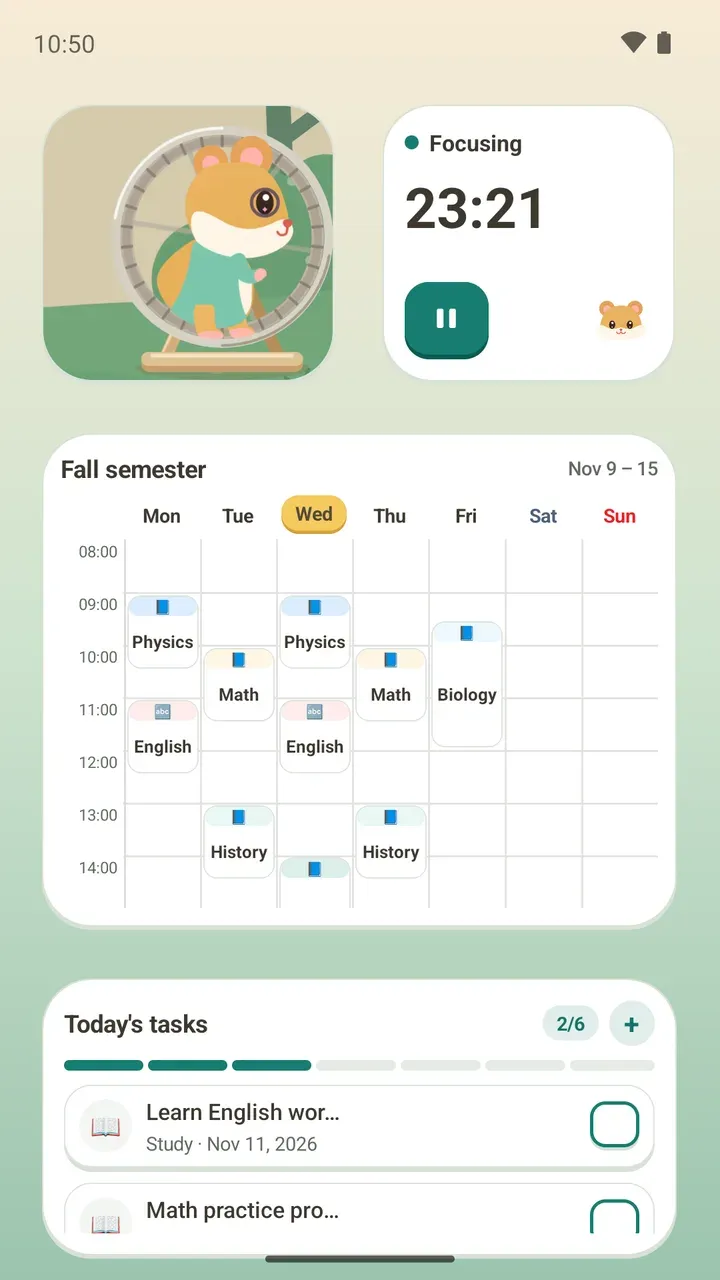 What Is Damda? A Timetable App and Study PlannerMeet Damda, a timetable app and study planner for Android, with to-dos, a Pomodoro timer, study records, an anonymous study hall and widgets.
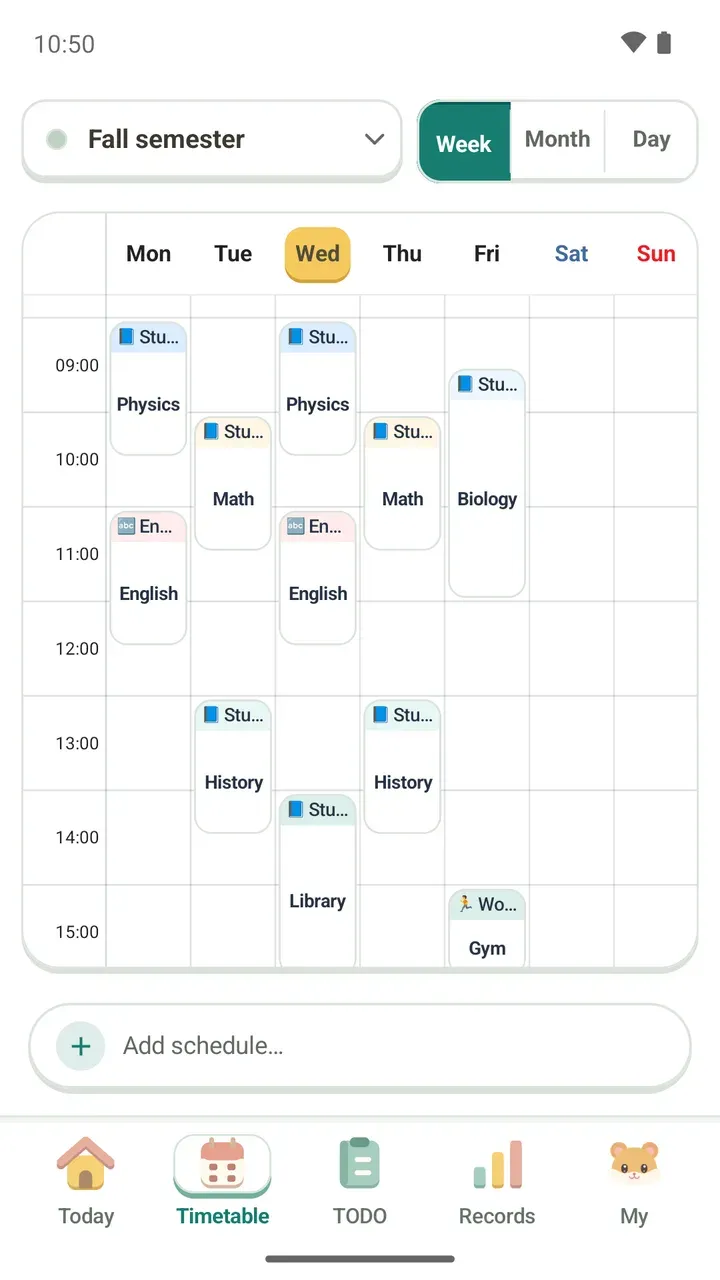 A Solo Developer's Timetable App, Restarted After 6 YearsThe solo developer behind the timetable app Damda tells how it was first built, left untouched for six years and brought back to life.
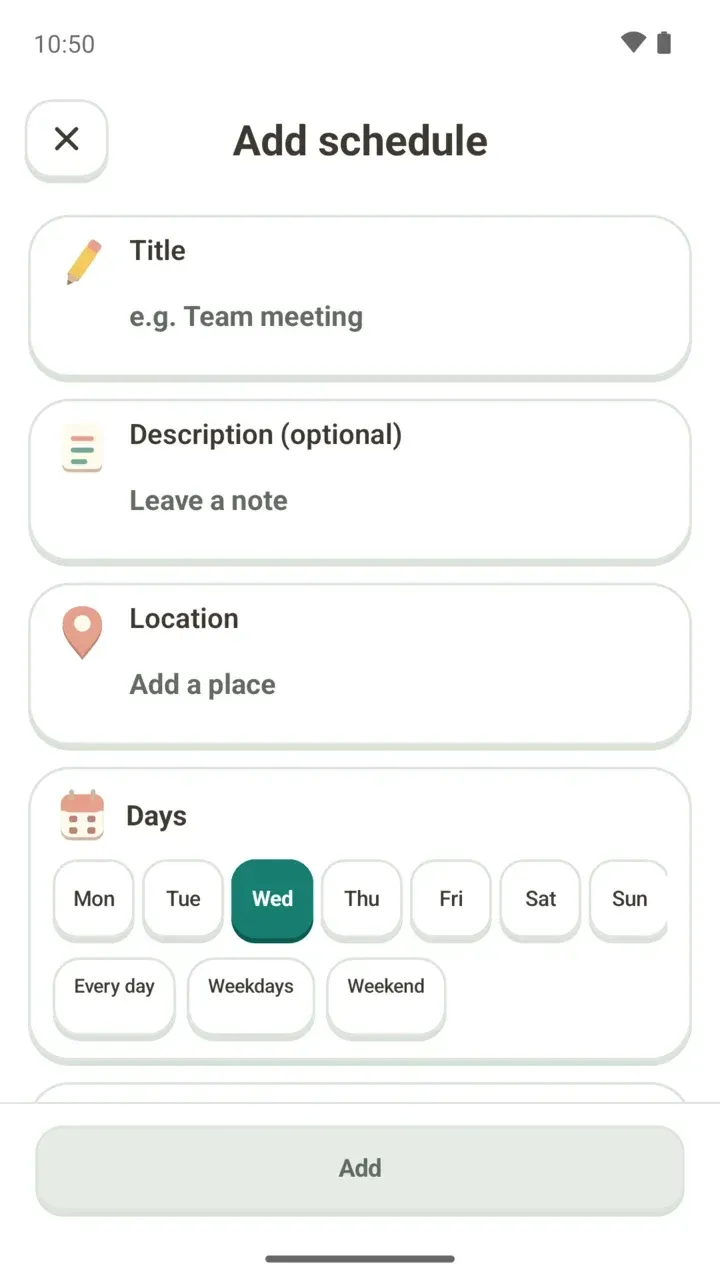 Getting Started: From Your First Schedule to Your First Focus SessionJust installed Damda? Answer a few quick questions, add your class schedule and a to-do, then start your first focus session from the Today tab.
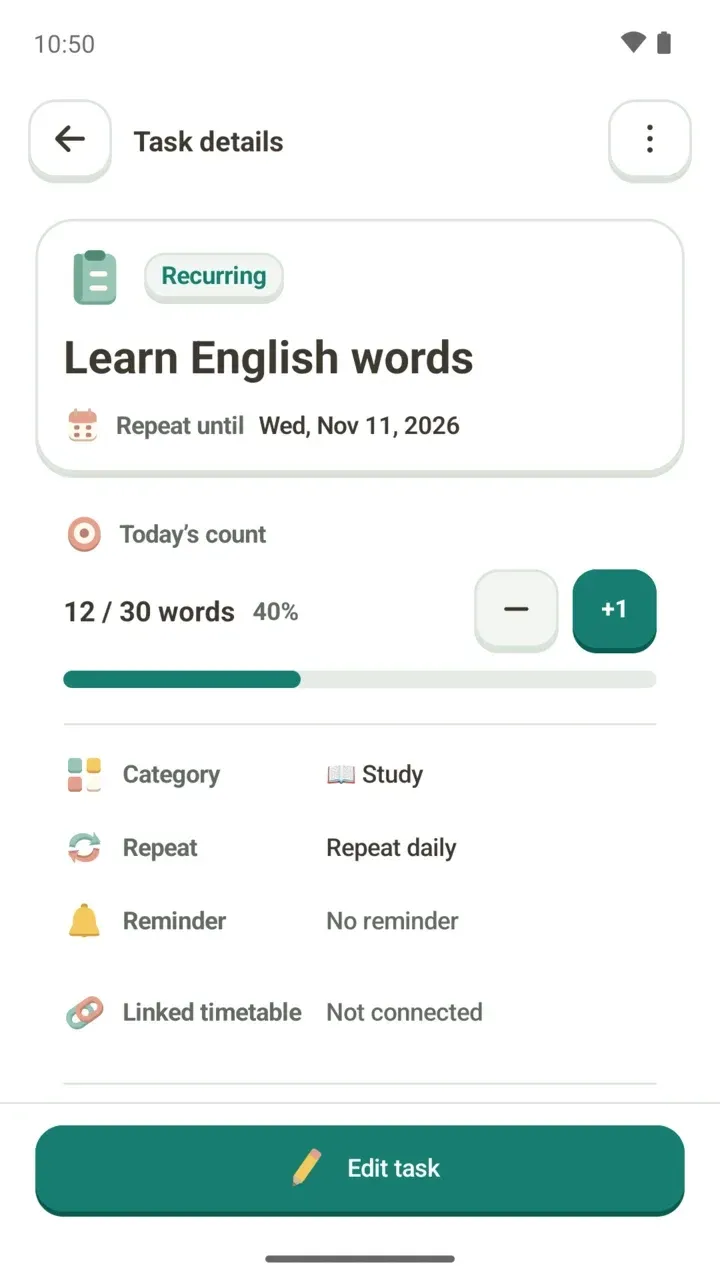 How to Make an Exam Study Plan: Timetable to RecordsPlan exam weeks in Damda, step by step: study blocks on your timetable, to-dos with due dates and counts, a Pomodoro timer and your records.
 3.1.0 Update: Where Did the Dog and the Timer Go?Your timetable, to-dos and focus records are still here. What changed in 3.1.0: the hamster, tabs, widgets, levels, study hall and backup passwords.
Today
The Today tab: check what's next, start a focus session and meet the hamster.
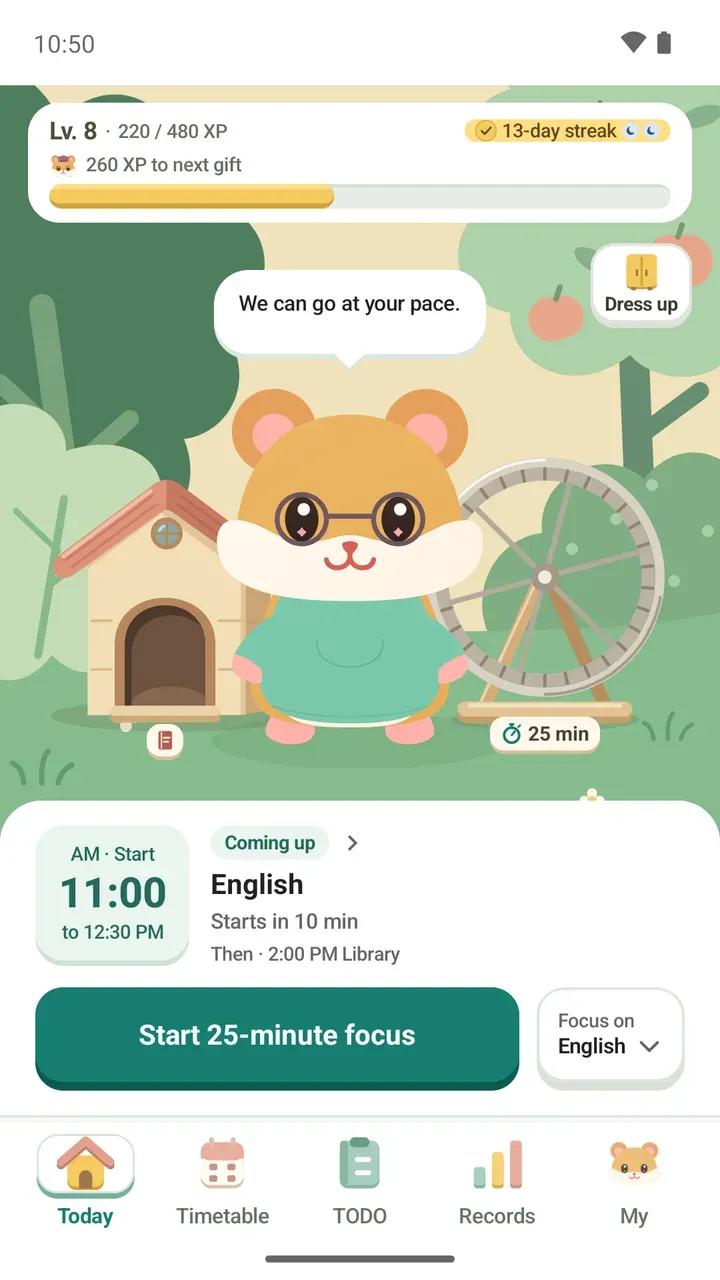
- How to Use the Today Tab: Next Class and Focus TimerA top-to-bottom tour of the Today tab: your level and streak, the garden, your next class, and a focus timer you can start in one tap.
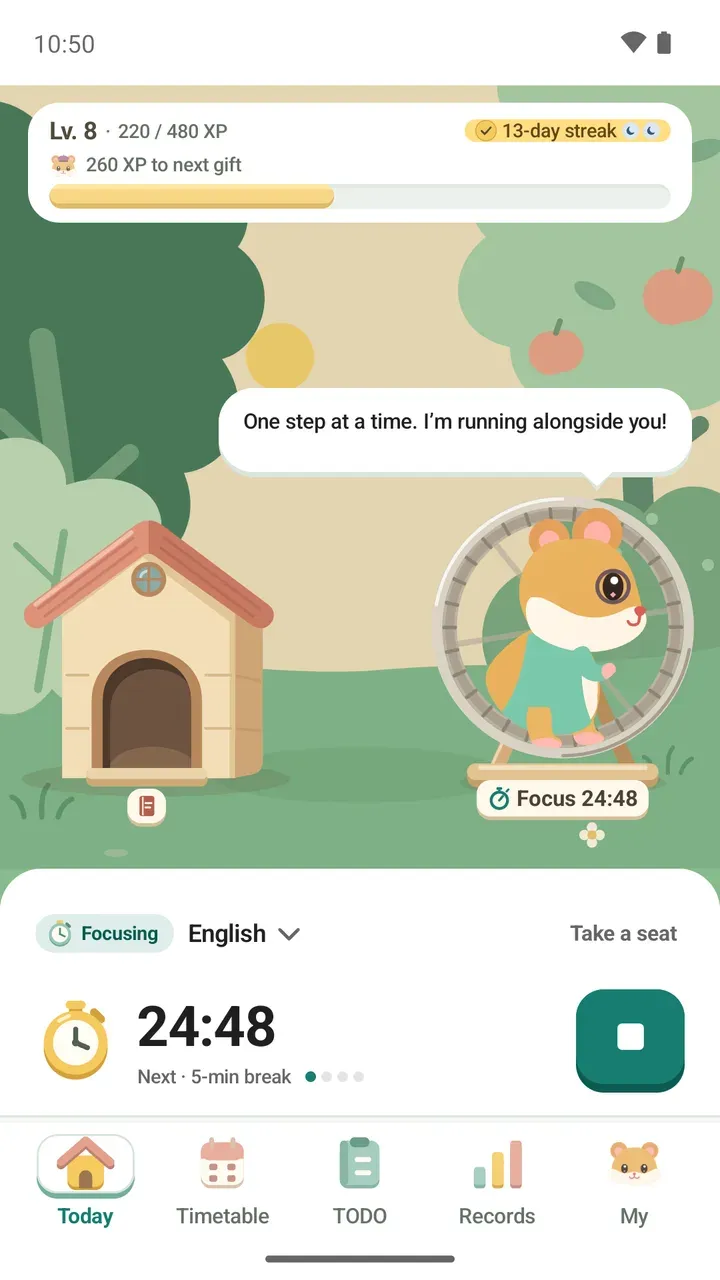 Pomodoro Study Timer: From 25/5 to No Time LimitPomodoro presets from 25/5 to 60/10, your own length from 1 to 120 minutes, or no limit. Link a class or to-do and your focus time adds up there.
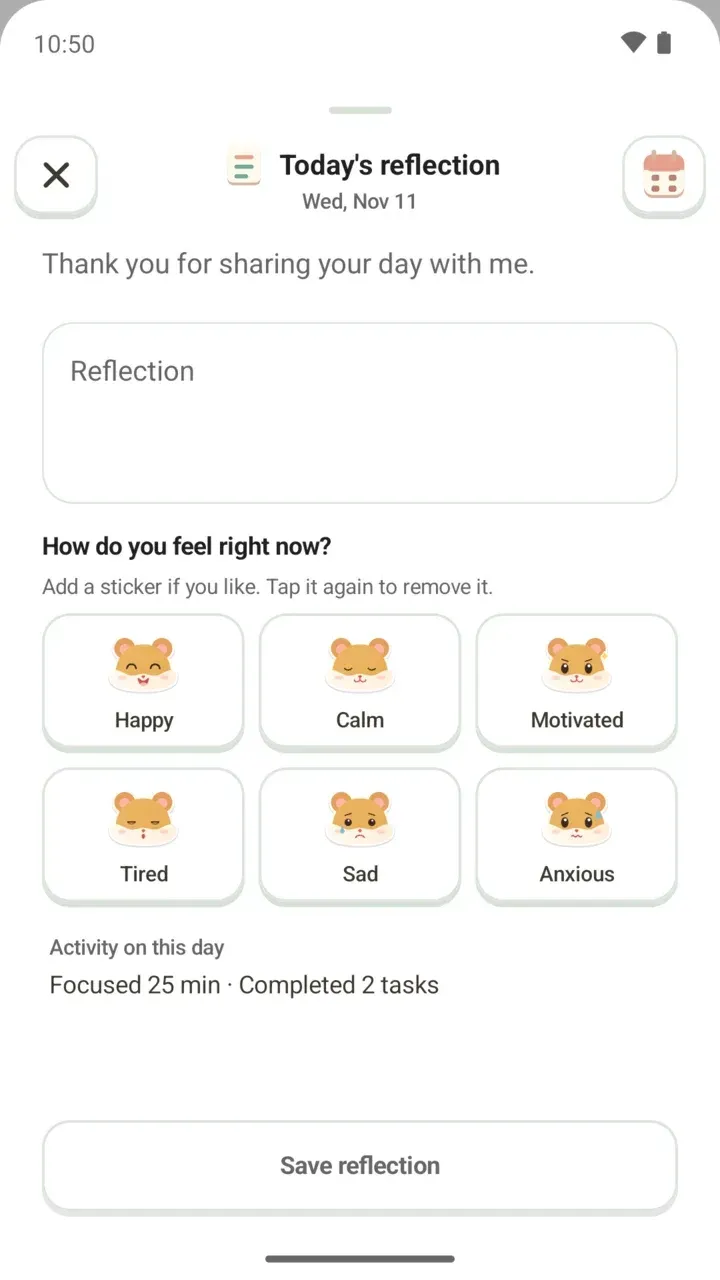 Daily Reflection Journal: One Line and a Mood StickerWrite a line about your day and pick a mood sticker. Your focus time and tasks done show beside it, and the Day journal keeps your entries by month.
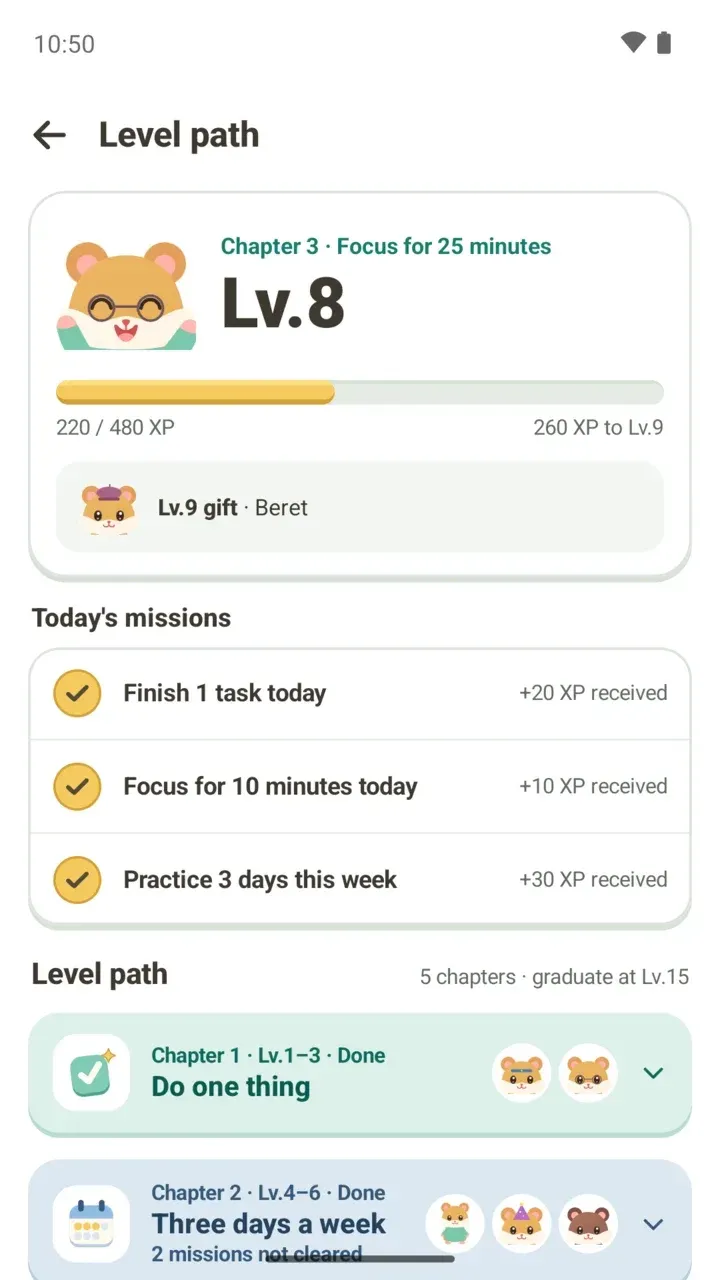 How to Use the Level Path: XP, Missions and Outfit GiftsSee your level and the XP you still need on Damda's level path, plus today's missions, five chapters to Lv.15 and outfit gifts for your hamster.
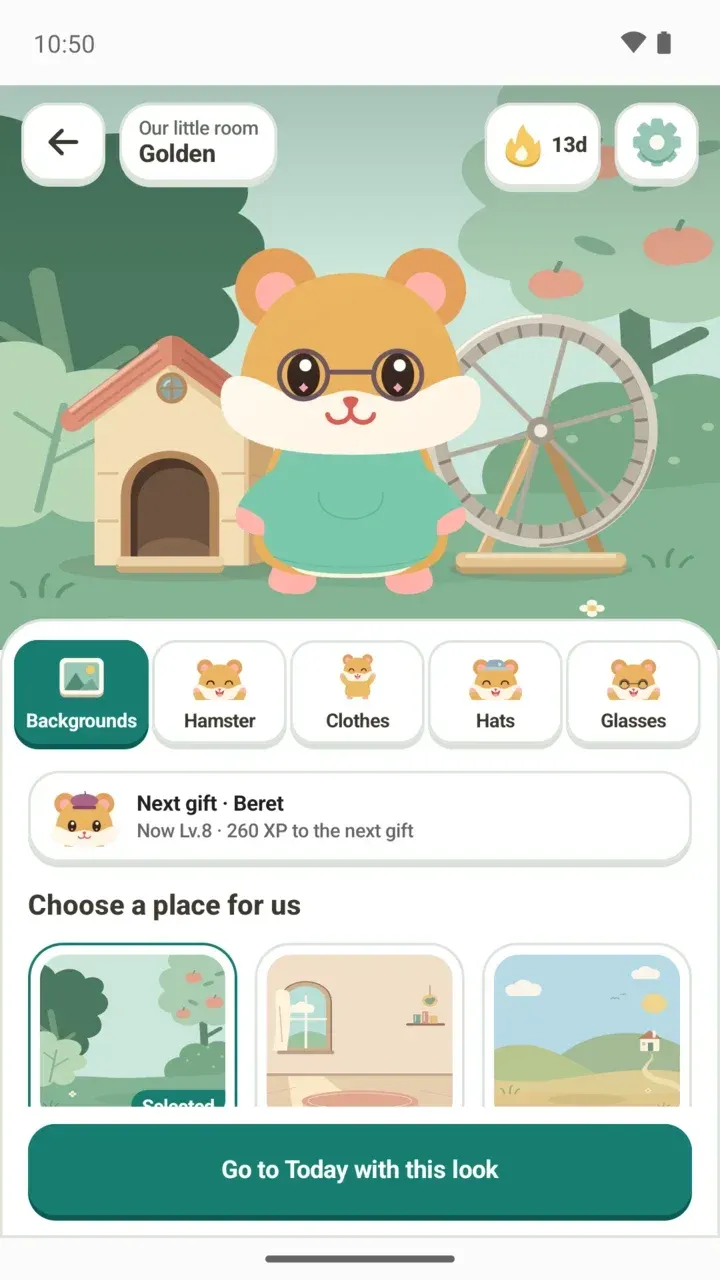 Damda's Hamster Character: Why the Dog Became a HamsterWhy Damda's main character went from a dog to a hamster in 3.1.0, and what it does in Today, the timer, reflections, widgets and the study hall.
Timetable
Put in your classes and plans, read your week at a glance, and keep up with widgets and reminders.
- Weekly Timetable: See Classes, Shifts and Plans at a GlanceAdd classes, shifts and plans to Damda's weekly timetable and see your week at a glance, with weekly repeats, overlap checks, reminders and widgets.
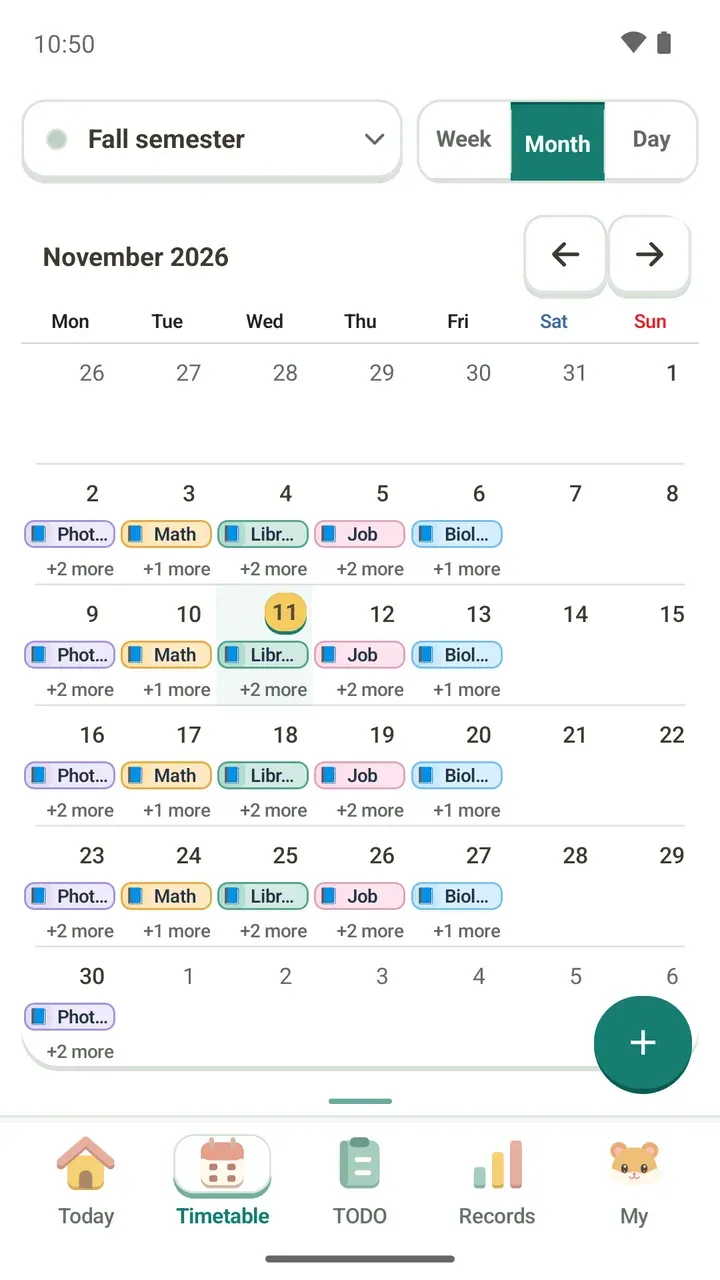 Monthly Timetable View: See Your Whole Month at a GlanceSwitch the Timetable tab to Month and see your whole month on one screen: what the bars and "+2 more" mean, how to change months and add plans.
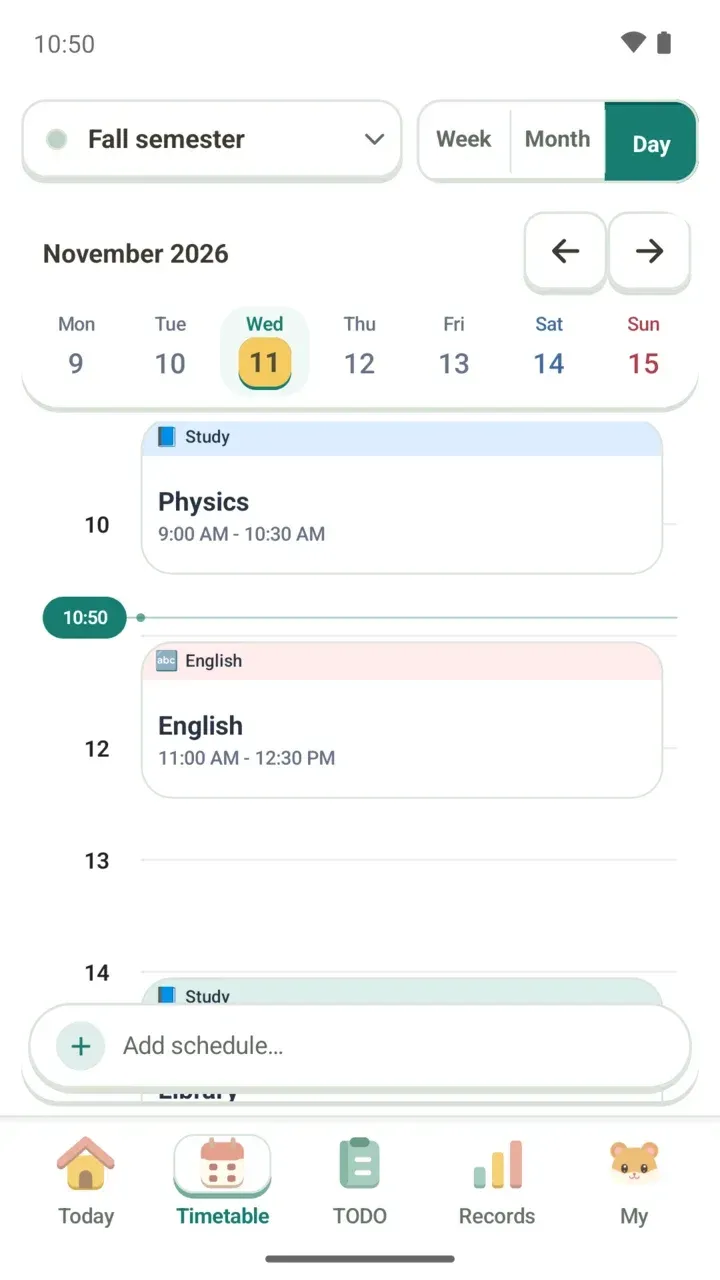 Daily Timetable View: See Your Day Hour by HourUse Day view in Damda's timetable to see one day's classes and plans in time order. Learn to pick a date, read the current-time line and each card.
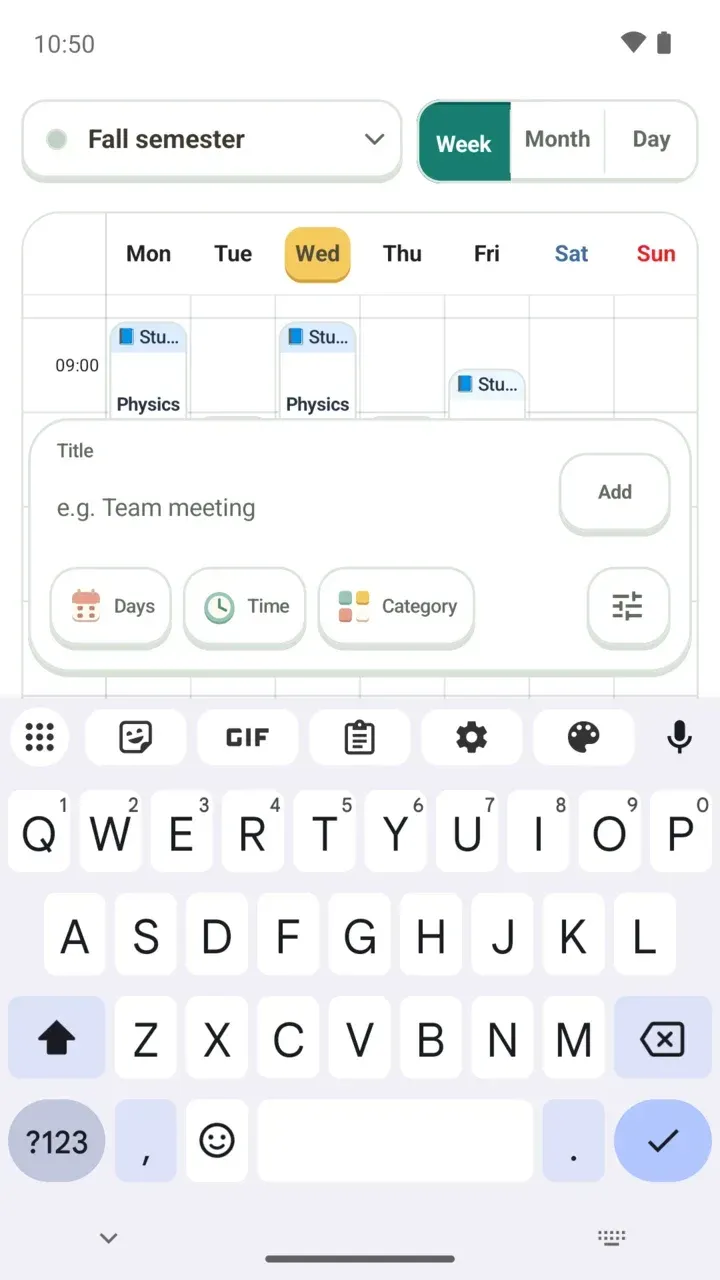 How to Add Classes to Your Timetable: Repeats and OverlapsAdd classes fast with the Add schedule… bar, then set days, repeats, a location and notes. Damda flags overlaps before you save.
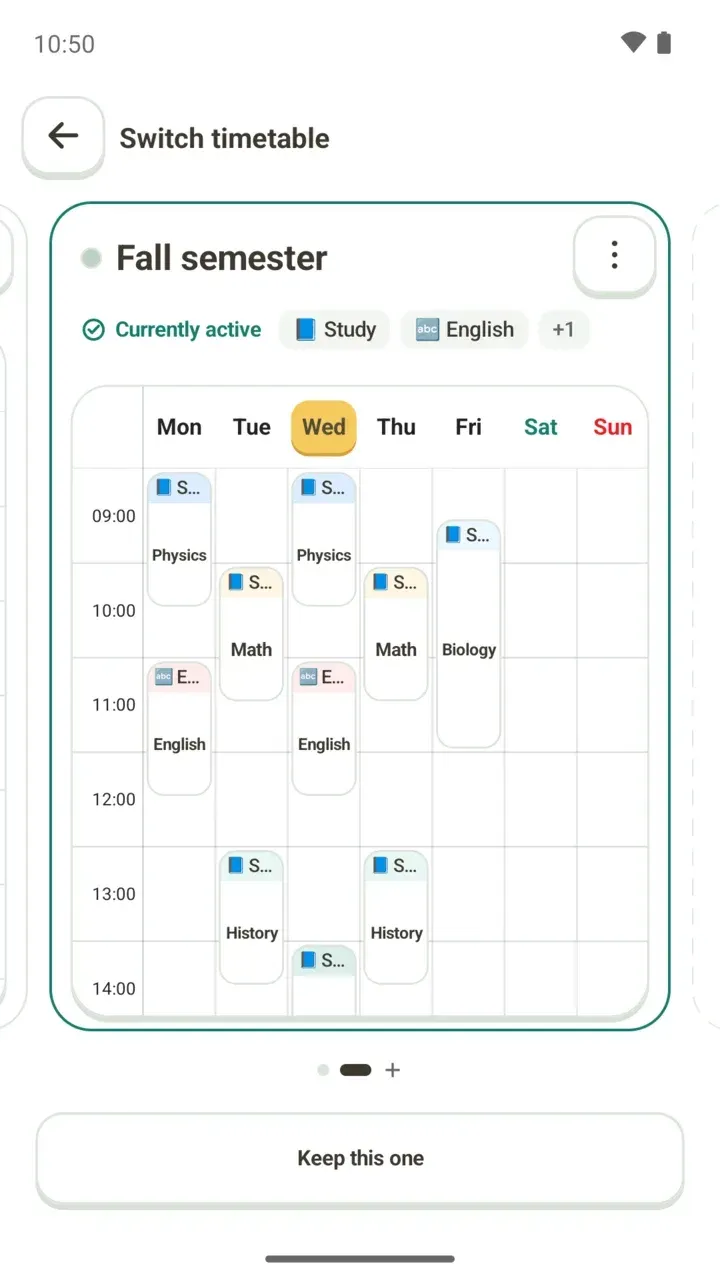 Multiple Timetables for Each Semester, Finals Week and SummerKeep a separate timetable for each semester, finals week or summer break, and switch between them. A second timetable needs Damda Plus.
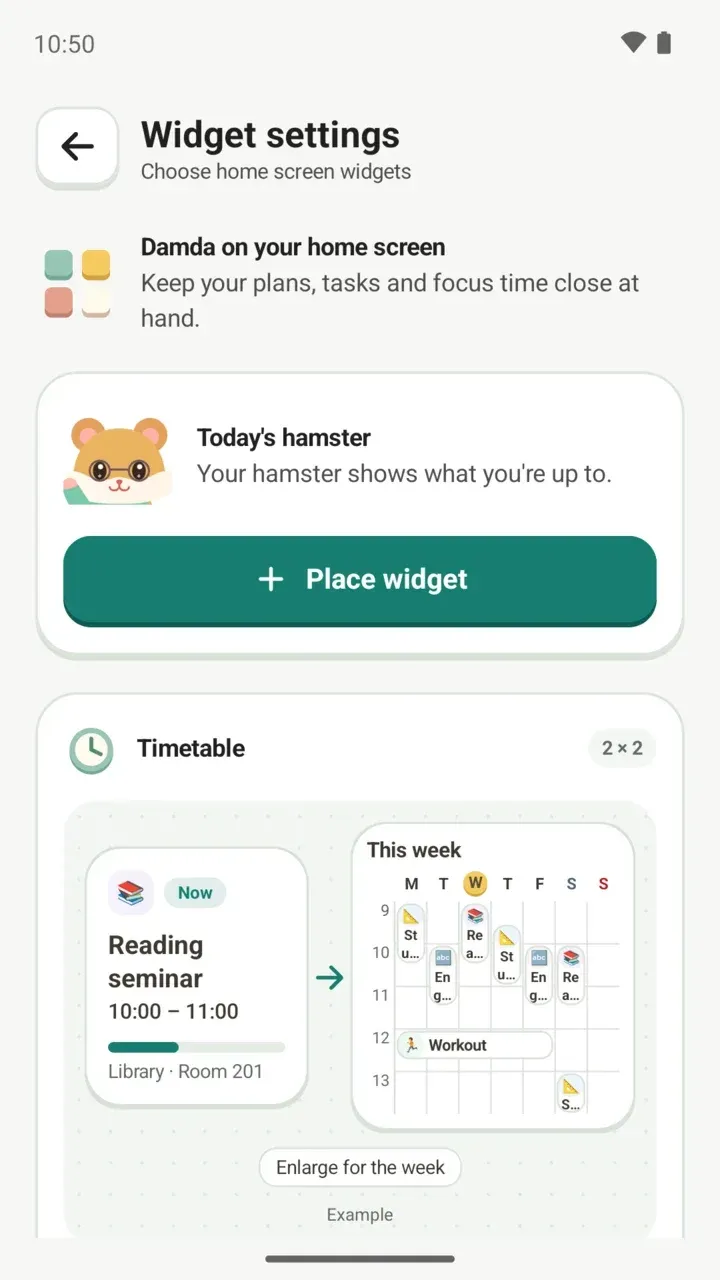 Timetable Widget: See Your Next Class on Your Home ScreenSee your next class and this week's timetable on your home screen without opening the app. Damda's five widgets, how to place them, and Wear OS.
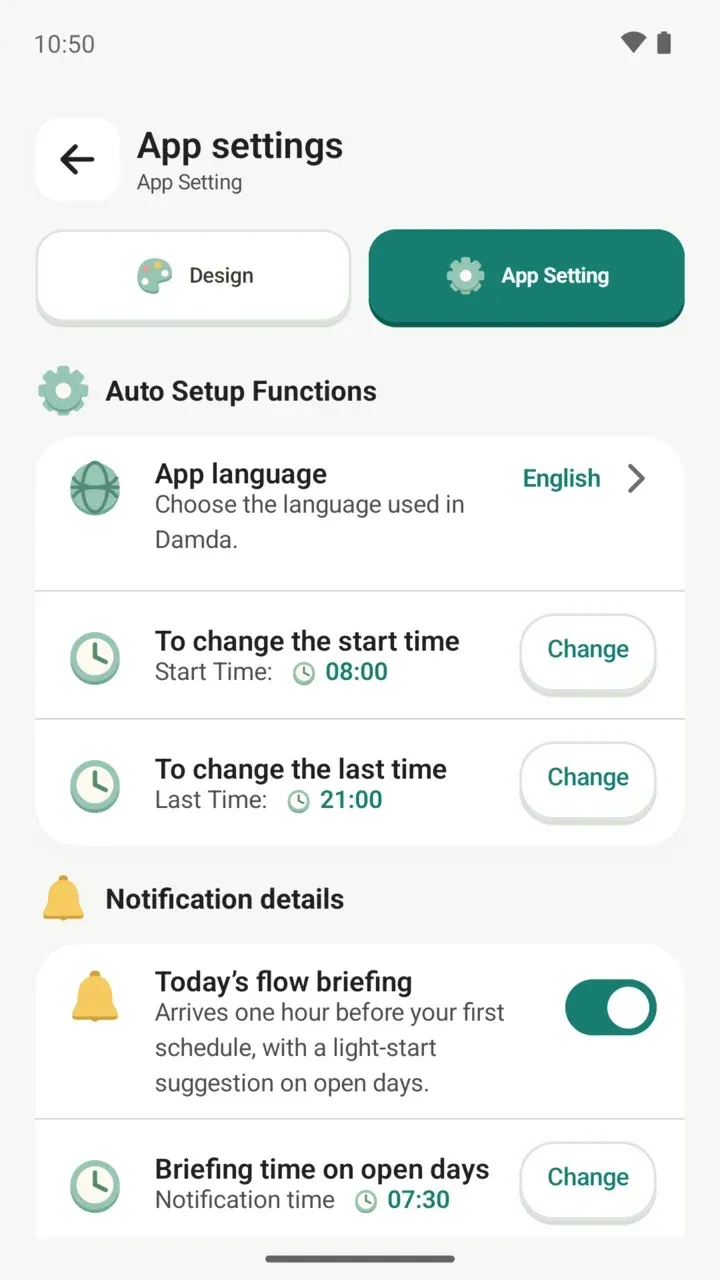 Timetable Reminders: Class Alerts and a Daily BriefingChoose on-time, 5- or 10-minute reminders for classes and plans, get a daily briefing before your first class, and act on to-do reminders.
TODO
Make to-dos you check off or fill up by count, and keep up with them every day.
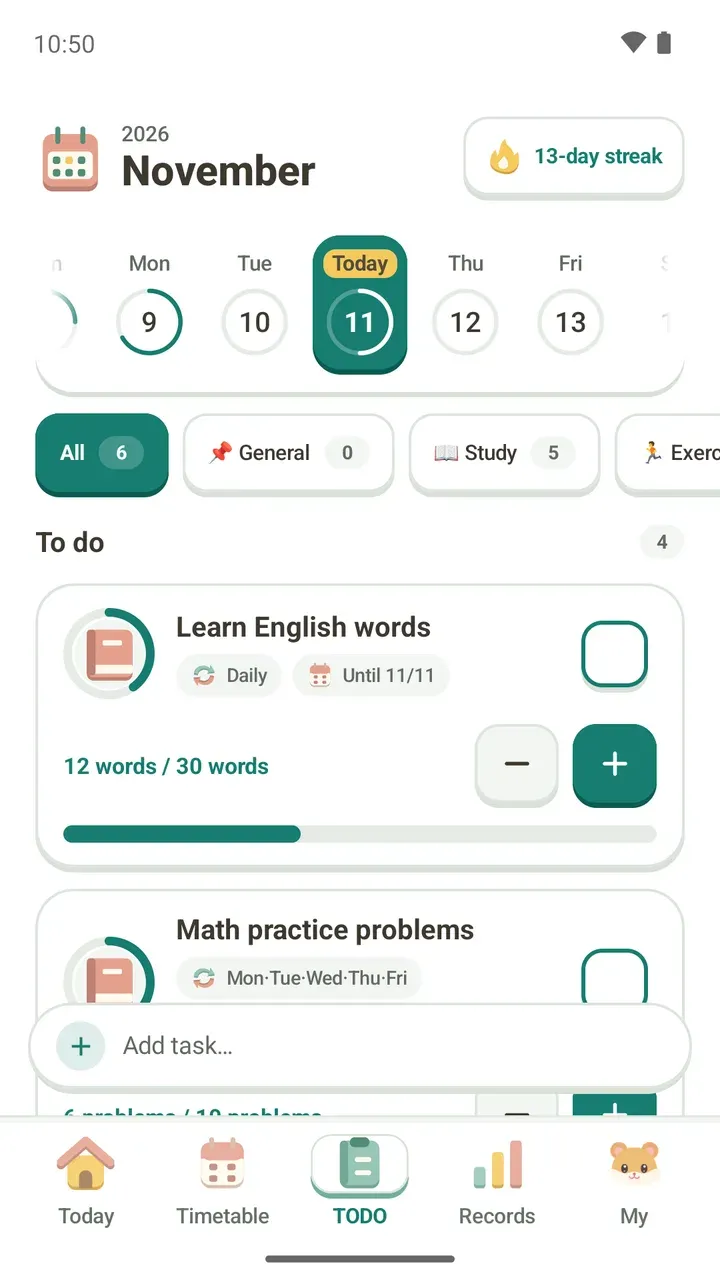 To-Do List: Check Off Tasks and Fill Daily CountsUse the date strip and categories to find today's tasks, then check them off or tap + and − to fill a count like 30 words a day.
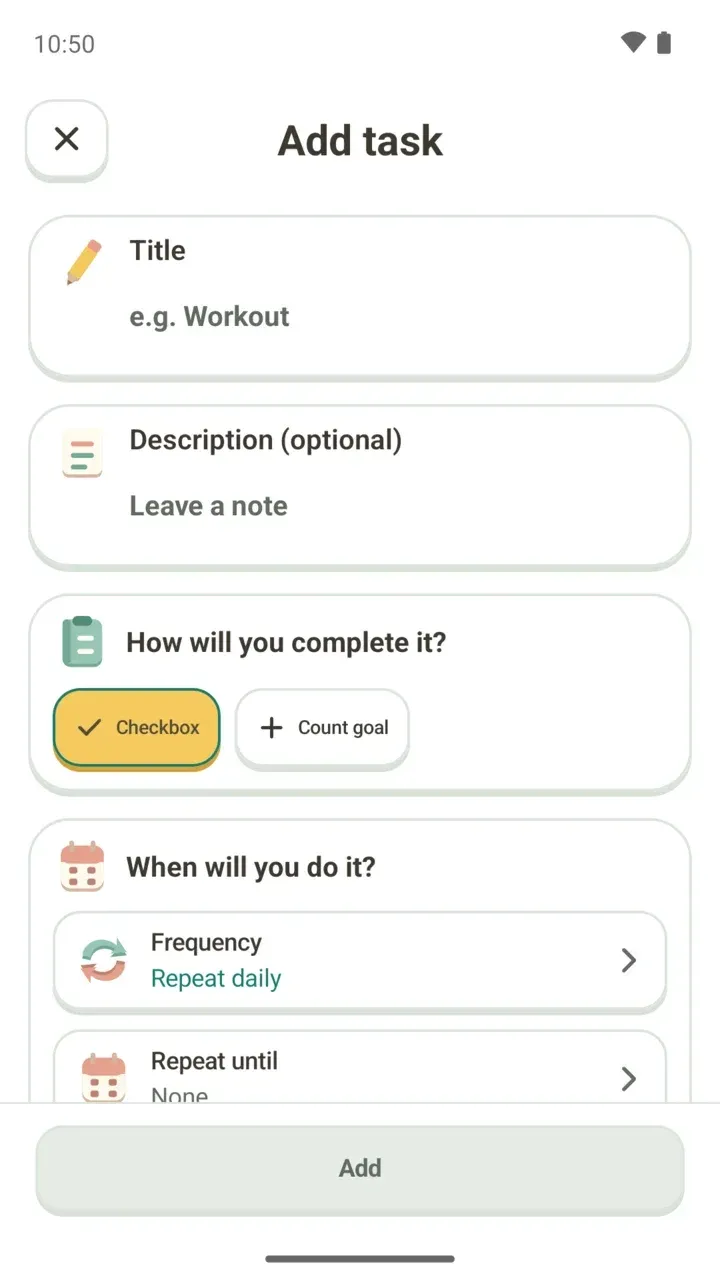 How to Add a To-Do: Repeat Days, Due Dates and Count GoalsRepeat a task daily or on chosen days, set a due date with D-day, or set a count goal like 30 words a day. A walk through the Add task screen.
Routines
Pick a ready-made routine pack and add just the steps you want to your timetable.
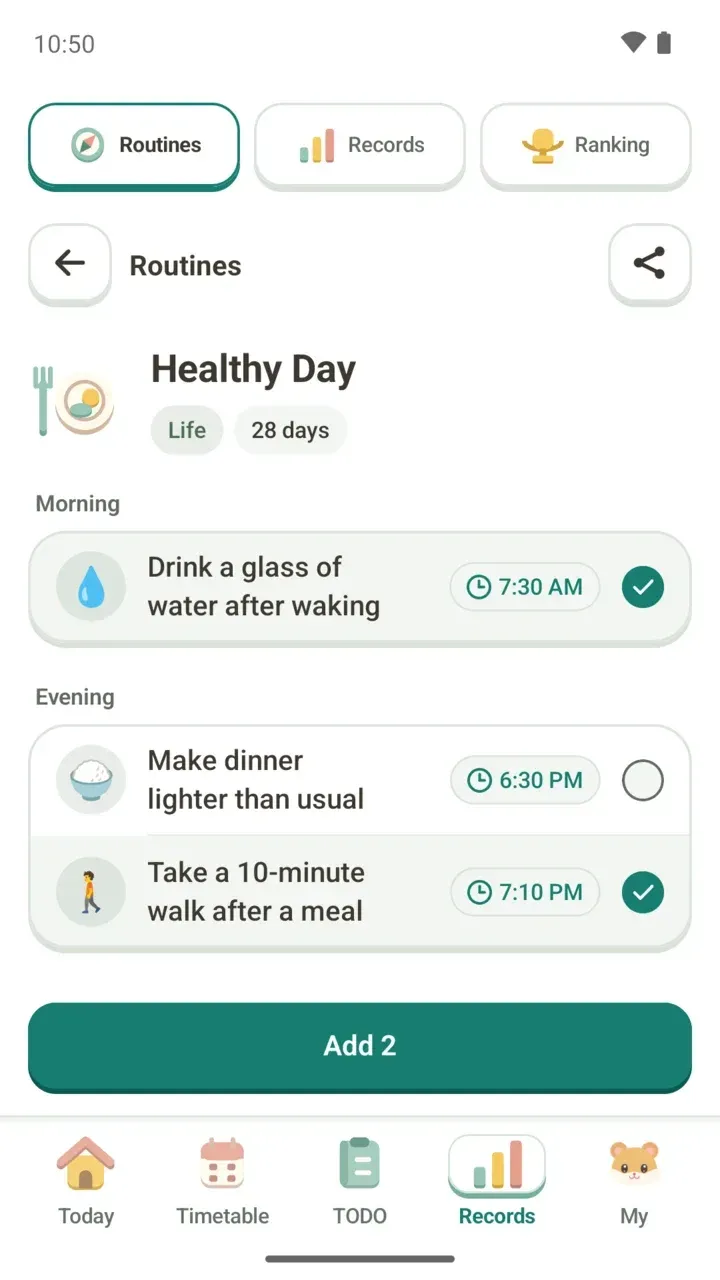 Routine Planner: Add Ready-Made Routines to Your TimetableHard to build a morning routine from scratch? Pick a routine pack in Damda and add only the steps you want to your timetable and to-do list.
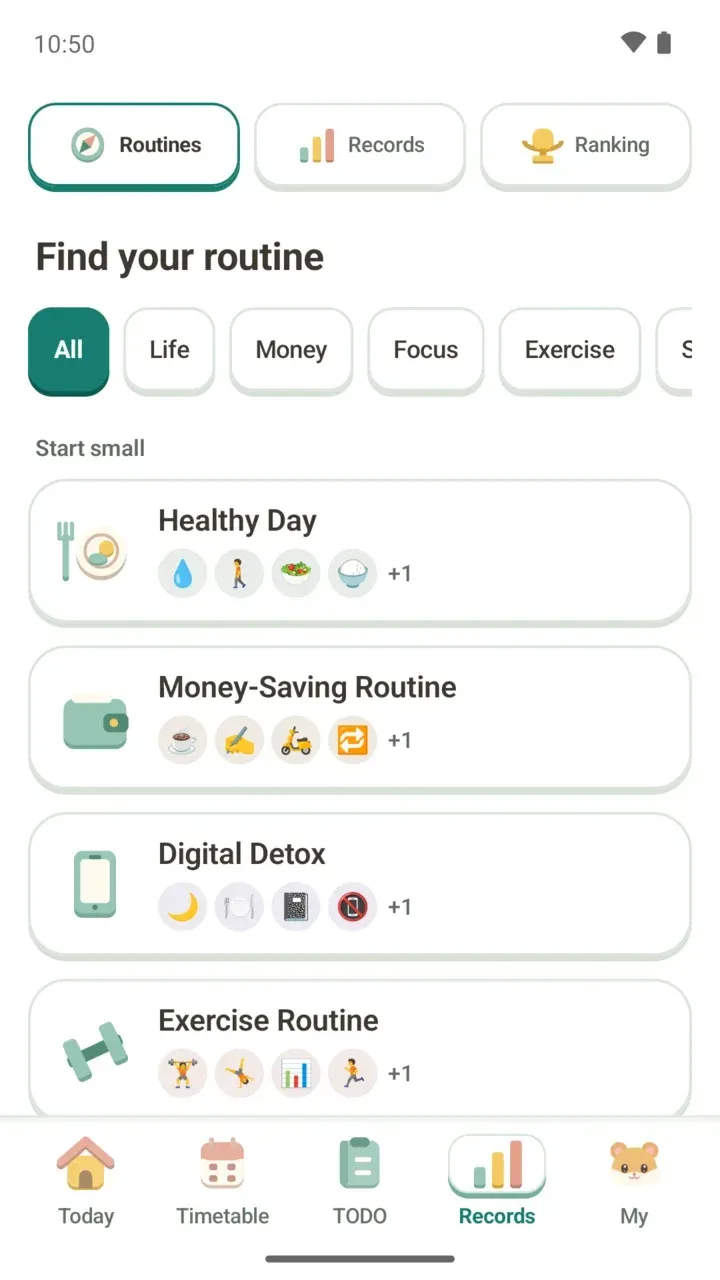 Study and Focus Routines: From Daily Reading to PomodoroStudy and focus routine packs, 30-minute daily reading and an entrepreneur's routine. Add the steps you want, then focus with a timer.
Records
Look back on your streaks and focus time, and focus alongside others anonymously in the study hall.
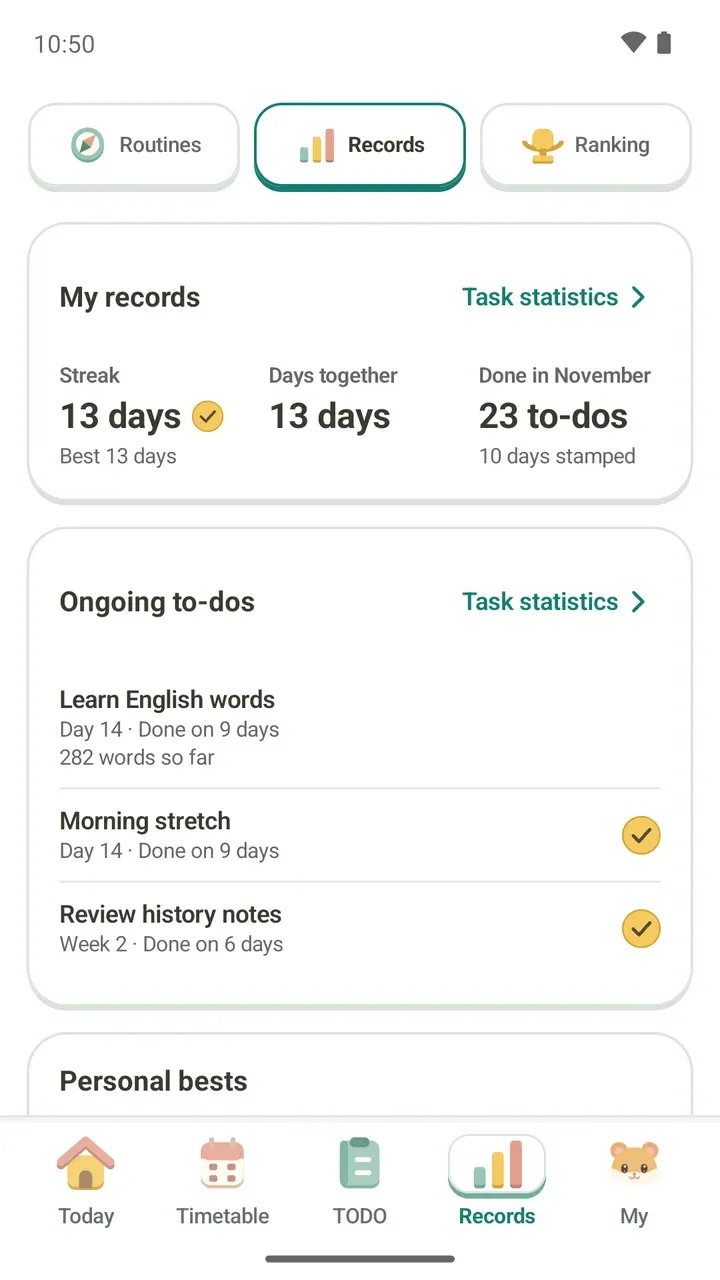 Study Tracker: See Your Focus Time and Task ProgressRead streaks, ongoing to-dos, personal bests and weekly and monthly focus charts in the Records tab, and see where your focus time adds up.
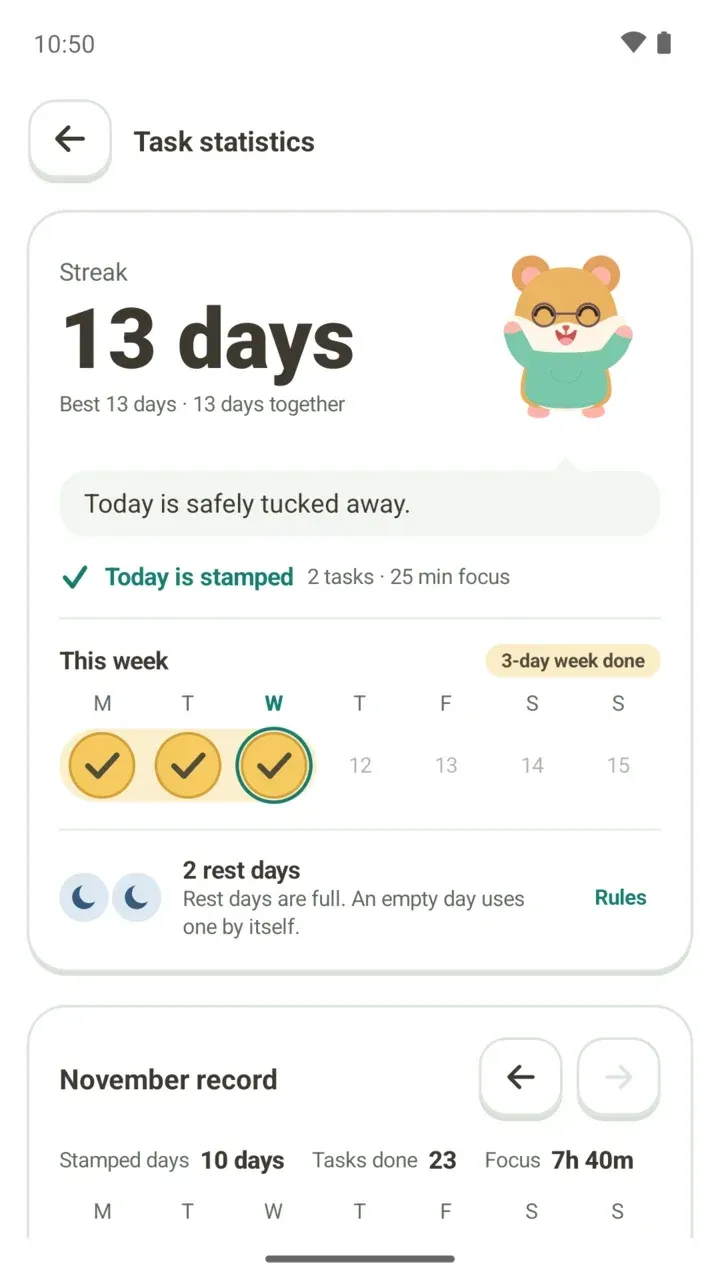 Study Streaks: How Rest Days Cover a Missed DayFinish one task or focus for a minute to stamp the day. Stamp 3 days in a week and you earn a rest day that covers a missed one.
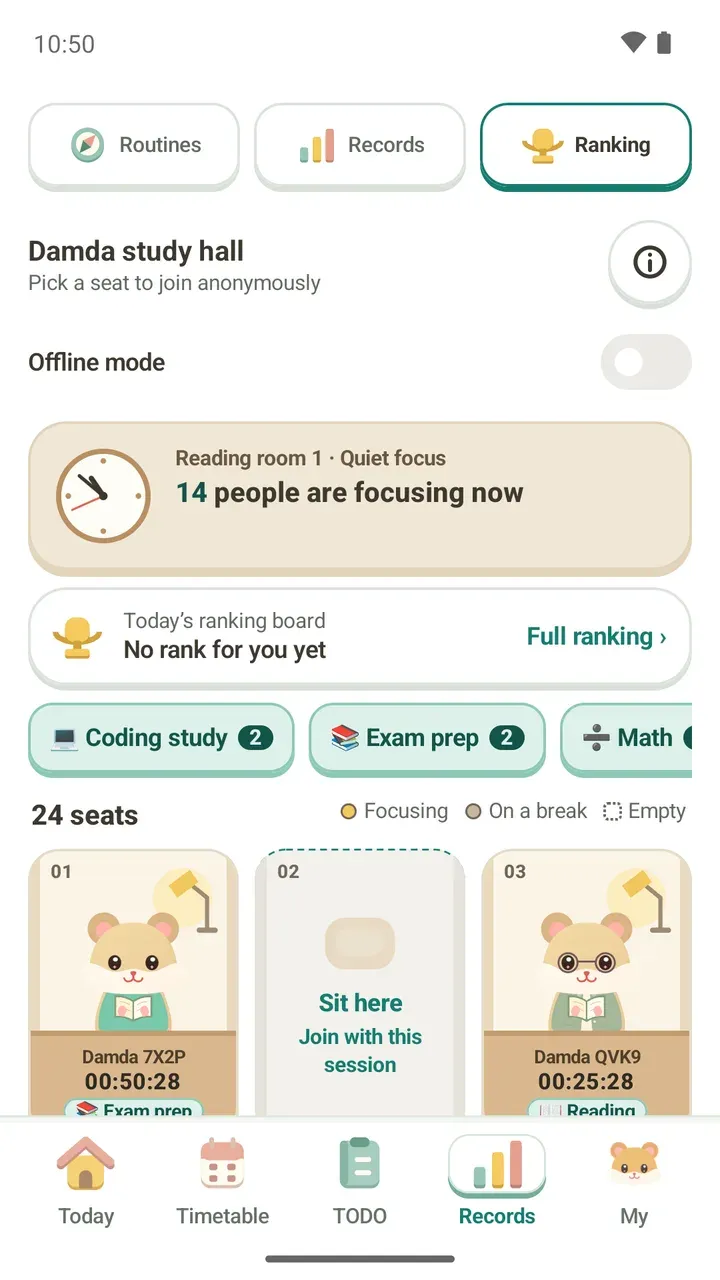 Online Study Hall: Focus With Others AnonymouslyTake an empty seat in the Damda study hall to focus with others anonymously. See how today's ranking works, what others see and how to go offline.
My
Dressing up your hamster, Damda Plus, settings and backups.
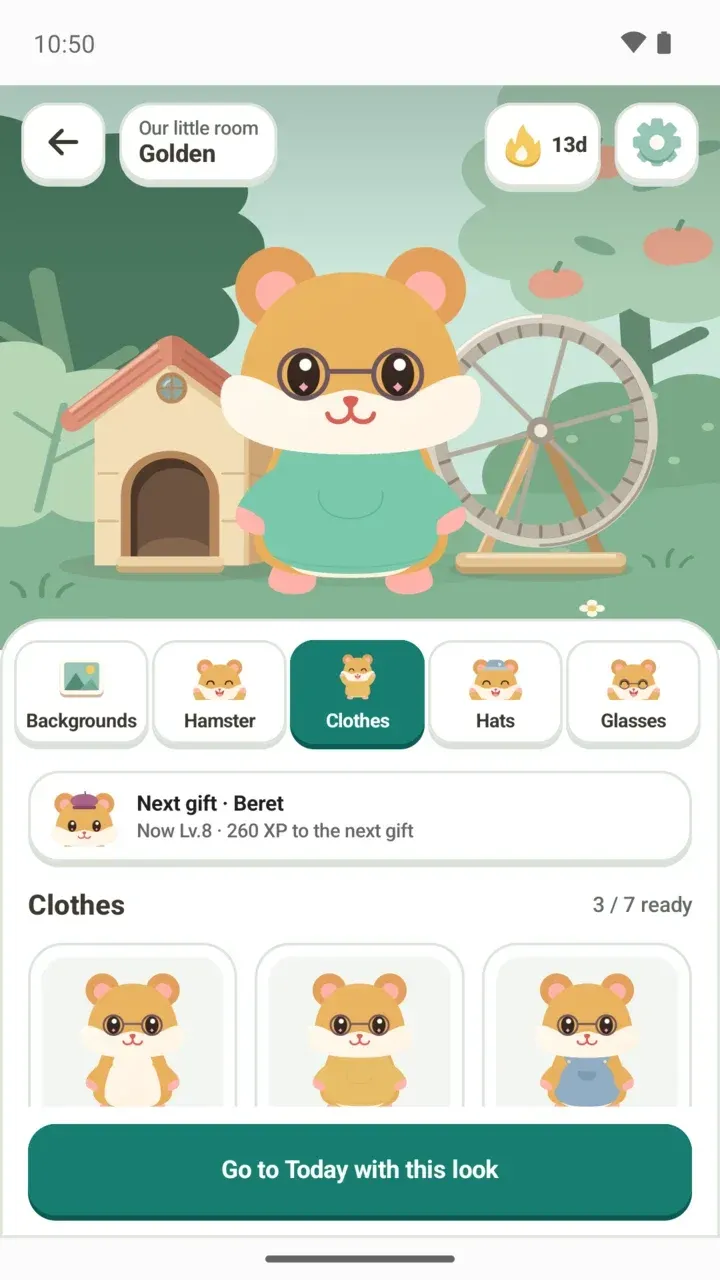 Dress Up Your Hamster: Clothes, Hats, Glasses and BackgroundsHow to dress up your Damda hamster with clothes, hats and glasses, change the background, and read the ready count and next gift card.
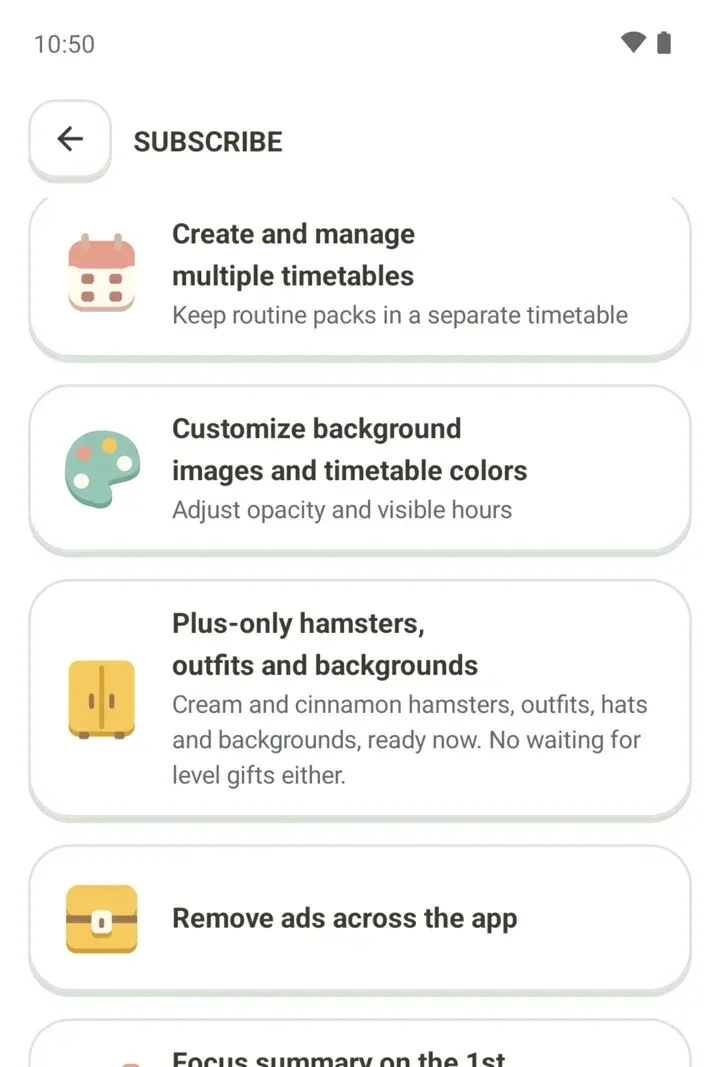 Damda Plus Subscription: Remove Ads and What ChangesDamda Plus is a monthly subscription you can cancel anytime. Here's what it adds, from no ads to multiple timetables, and what works without it.
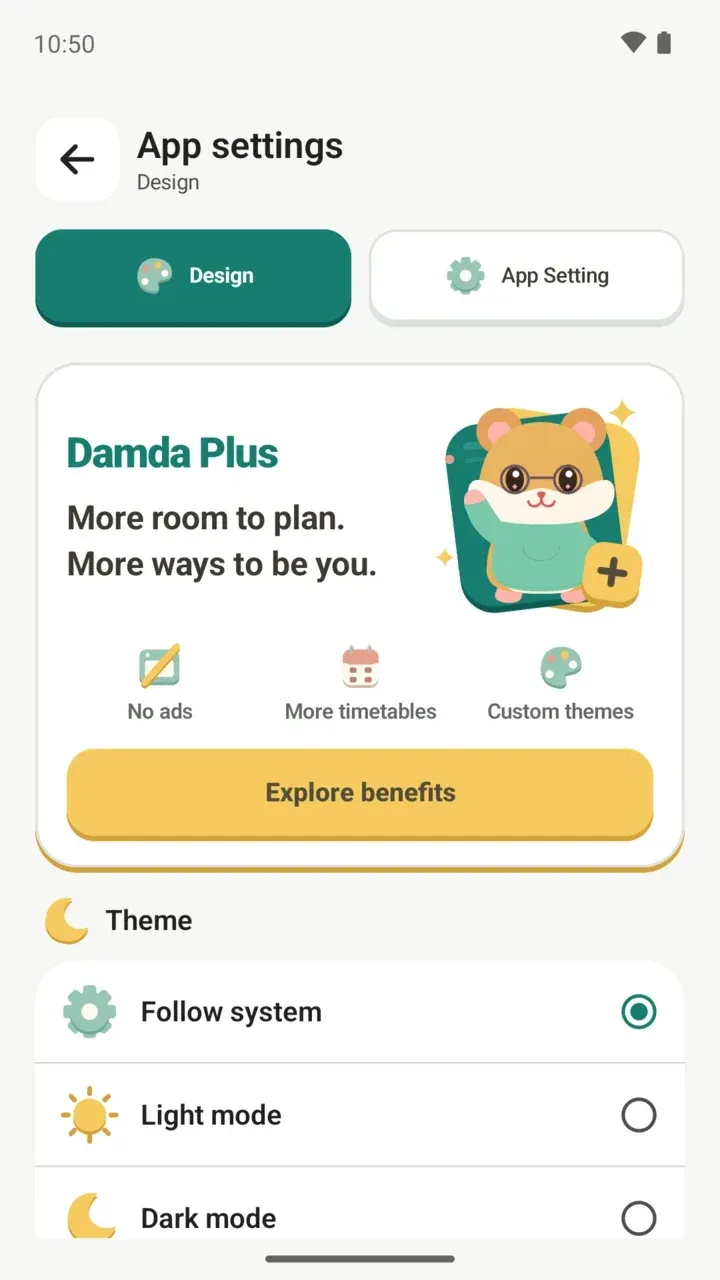 App Settings: Dark Mode, App Language and Timetable HoursSet dark mode, app language, timetable start and end times, the daily briefing and phone search from the My tab and App settings.
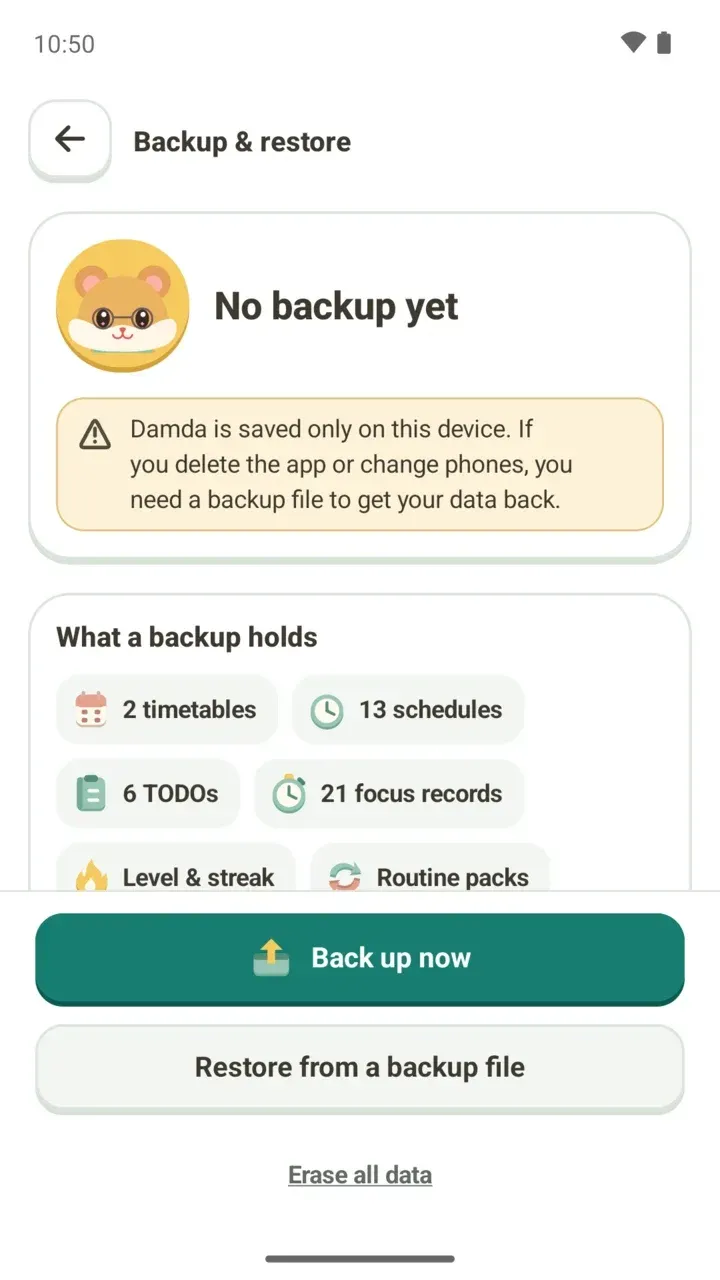 How to Back Up and Restore Your Timetable on a New PhoneDamda has no sign-up, so your timetable and records live only on this phone. Make a backup file before you switch phones or reinstall, then restore it.